This article explains how to create offline shipping services. These enable you to create a service that your customers can select, but which is not directly linked to a particular courier.
This enables you to deal with a number of different specific problems:
1) You want to setup a Standard shipping option that the customer selects, but then you decide what service to use based on the best cost to you from the couriers you have available that can fulfil to that location within the required time period.
2) You cannot achieve the required setup using the standard weight/location based rules, or the courier restrictions are stopping services showing when required.
Creating Offline Services
The process is very similar to creating a service described in this article: Adding a Service to my Shipping Options
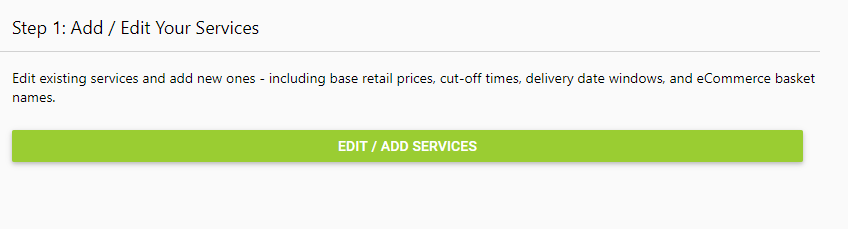
1) Initially you need to select EDIT / ADD SERVICES as below:
2) Scroll down the page until you get to the Add Offline Services section. Within this section, click on New, then fill out the information.
For example, in the image below I am creating an option for Heavy Items that are going to be sent internationally.
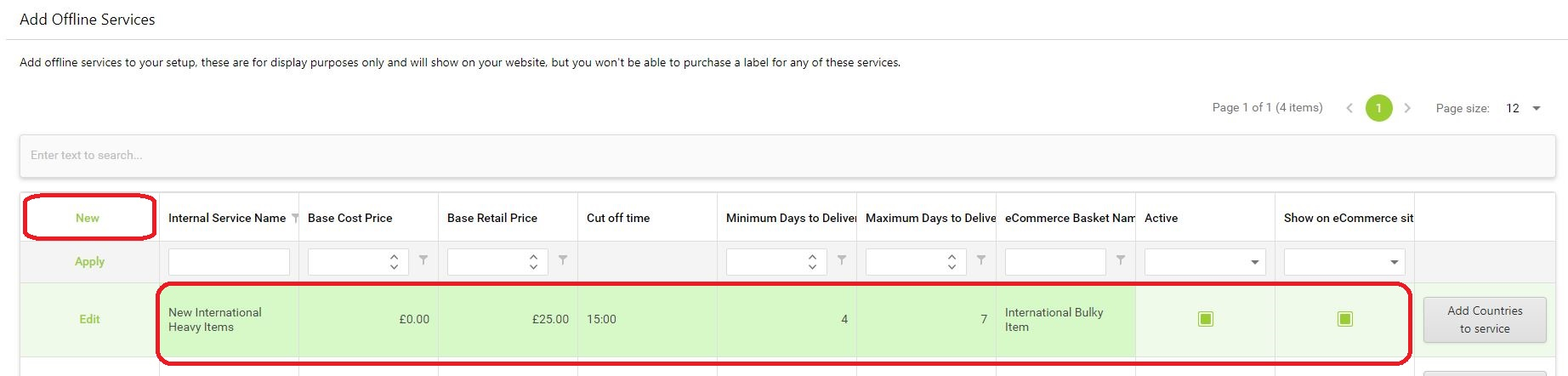
- The Internal Service Name is the name used to recognise the service for my staff.
- The Base Cost Price is the minimum cost of that service to my business
- The Base Retail Price is the minimum price that the customer will pay for that shipping service at the checkout
- The Cut off Time is the time the customer must place their order by, if they want it to be dispatched today
- Minimum and Maximum Days to Deliver control the estimated delivery date shown to the customer
- The eCommerce Basket Name is the name of the service that the customer sees on the front end of the site
Once these are all set I can tick the boxes for Active and Show on eCommerce site.
3) I now need to click the Add Countries to service button on the right to choose the countries that I want to be able to use this service:
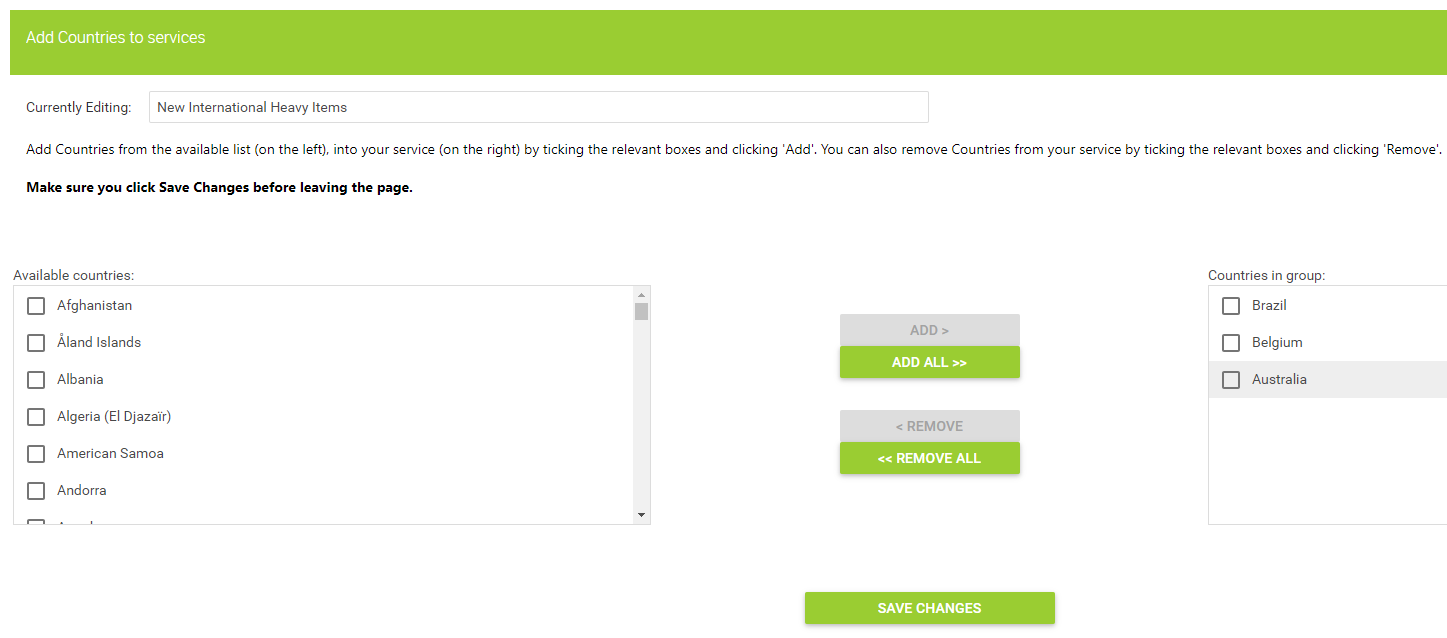
4) Once you have added the countries required, click Save Changes. This will then open up the option for you to adjust the delivery ranges for each country if needed. For example, for the 3 countries I added above, I know that it will take a lot less time to deliver to Belgium than to Brazil or Australia, and I therefore adjust accordingly:
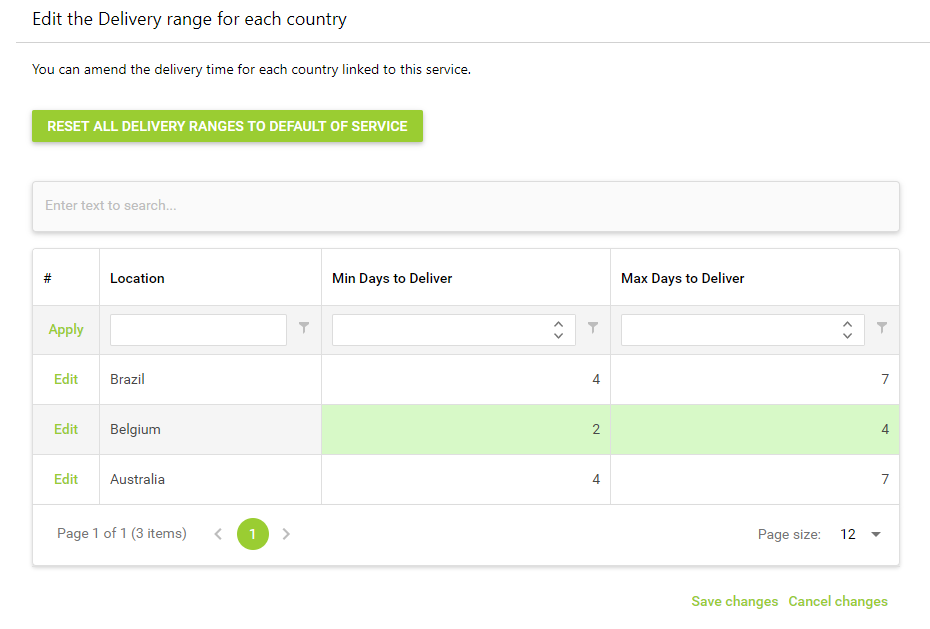
I now have a service that will only be available when customers select one of those 3 countries.
5) If you want those customers to only see this service at the checkout, you will need to exclude your other active services, as explained in this guide:
Courier Integration // How to Exclude Services for Locations
