You are able to see the last group of items imported using Supplier Integration via the View Items Imported function, seen in the navigation.
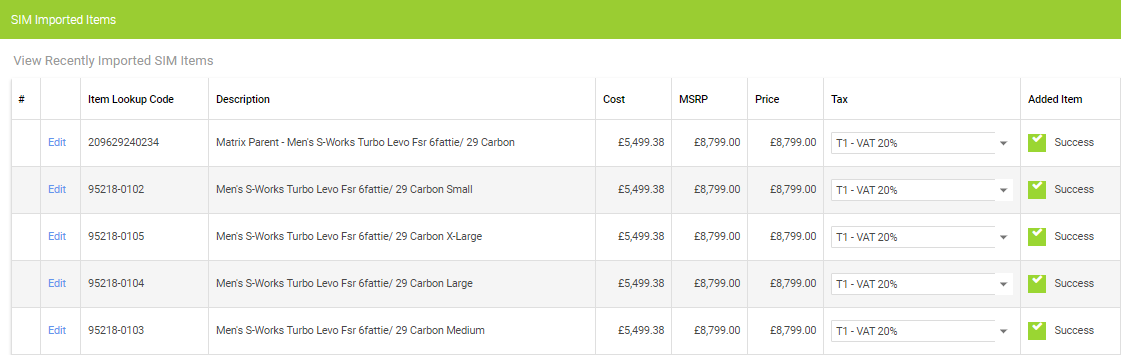
You will either see a Success status, under Added Item:
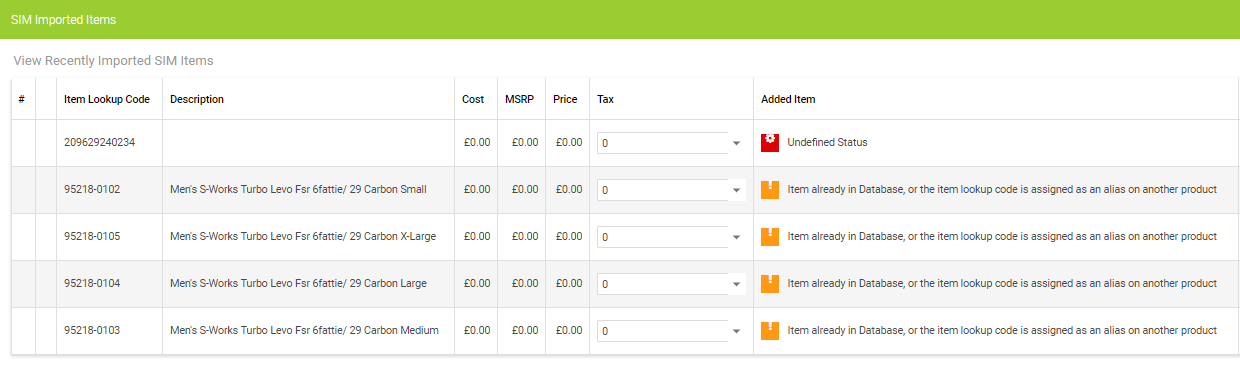
Or, Item already Database:
You are able to see the last group of items imported using Supplier Integration via the View Items Imported function, seen in the navigation.
You will either see a Success status, under Added Item:
Or, Item already Database:
How do I view the status of a Wizard?
Back Office 2.0 // How do I use the Advanced Item Search in the Back Office?
eCommerce // What's in the July 22nd 2026 update
Customer Rewards // Getting Started
How do I create and complete a Stock Take / Inventory?
How do I get set up with the Omnisend Integration?
How do I manage Chargebacks (disputes)?
What does the Affirm integration look like and how do I get setup?
Haven't found the answer you're looking for? Contact Support
