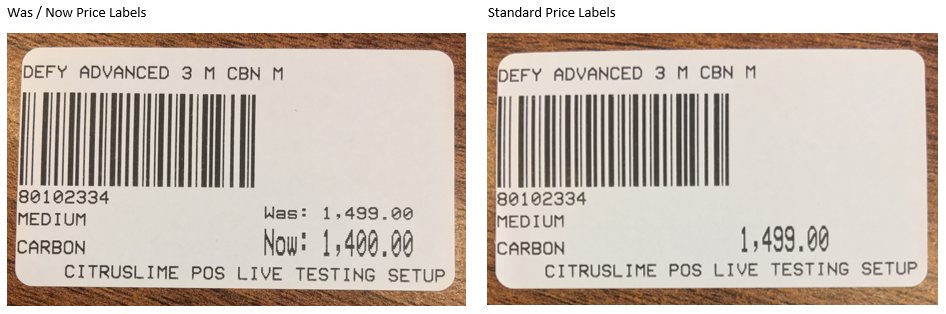
Price labels can be printed to show either the current selling price of a product, or the current selling price with the previous price in a Was / Now format (where applicable).
Your retail system will be set as standard to show one price only, this setting can be changed on a per label printer basis.
Changing your print settings
1) Within the Back Office main menu, select Setup and then Label Printers.
2) You will be presented with a list of the printers associated with your retail system. Choose the relevant printer from the list, then choose Was/Now from the Label Type dropdown.

3) Click on Save Pending Change in the bottom right.
